

UniFi and Ubiquiti: Simplicity, Centralized Management, and Innovation in Professional Networks
In this article, we'll delve into the strengths of UniFi and Ubiquiti – from ease of use to centralized management, from scalability to competitive pricing and integration with other systems – also highlighting the innovative Etherlighting feature
NETWORKS AND DATA INFRASTRUCTURESFIRST PAGE
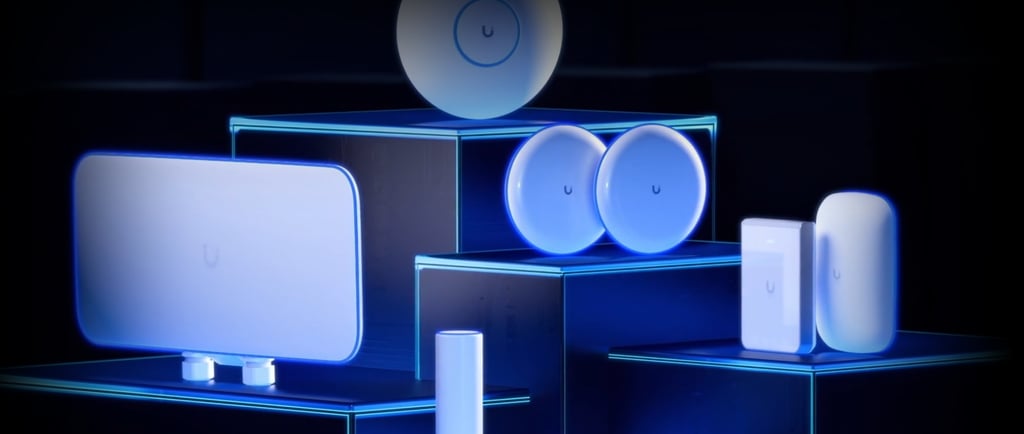
UniFi and Ubiquiti:
Simplicity, Centralized Management, and Innovation in Professional Networks
Introduction
Ubiquiti is a company known for revolutionizing networking through the UniFi line, a complete range of devices (Wi-Fi access points, switches, routers, and more) designed to offer enterprise-level functionality in an accessible way. One of UniFi's main objectives is to simplify network management: with a unified interface, even complex infrastructures become easy to administer. The UniFi platform provides an integrated IT environment that starts with networking and includes surveillance cameras, VoIP phones, access control, and much more. In this article, we'll delve into the strengths of UniFi and Ubiquiti – from ease of use to centralized management, from scalability to competitive pricing and integration with other systems – also highlighting the innovative Etherlighting feature. The latter, applied to the latest generation of managed switches, promises to improve network operational efficiency through an original hardware approach. Everything will be enriched with case studies of excellence, to show how companies and professionals have benefited from these solutions. The tone will be accessible but technically accurate, making it interesting for both experts and those approaching the world of professional networks.
Ease of Use
One of UniFi's distinctive traits is its simplicity. Ubiquiti's philosophy is to offer advanced products without the complexity typical of traditional enterprise systems. The UniFi Network Controller (the centralized management application for all UniFi devices) is designed to be intuitive from first use. A network administrator from a large school district stated that the UniFi controller is "incredibly easy to use" and that the integrated maps are "really useful" for visualizing the status of all Access Points on the school's floor plan. In practice, the graphical interface allows you to configure and monitor Wi-Fi access points, switches, and routers from a single control panel, often with just a few clicks and without requiring programming skills or terminal use.
Ease of installation is another key element: many UniFi devices are plug-and-play. For example, UniFi Access Points can be powered via PoE (Power over Ethernet, i.e., electrical current provided through the network cable) and are automatically detected by the controller once connected to the LAN. In the case study mentioned above, the school district's IT team managed to install and configure 3 access points in less than an hour, which immediately appeared online and ready to use. This speed and simplicity of deployment means that even facilities with limited IT staff can manage large-scale installations without difficulty.
Centralized Management
The heart of the UniFi ecosystem is centralized management. All devices – from Wi-Fi APs to switches – are controlled through a single software, the UniFi Network Controller (now often integrated into UniFi Cloud Gateways or dedicated appliances like UniFi Dream Machine and Cloud Key). This centralized platform offers a single dashboard from which you can have an overview of the network status, apply consistent configurations, and receive real-time notifications. As highlighted in a real case, the UniFi dashboard provides "an excellent overview of network health" and allows you to drill down into the details of individual devices when necessary; it also sends alerts if a device goes offline and allows for mass firmware updates with extreme ease. This translates into enormous time savings for administrators, who can control dozens or hundreds of network elements without having to access each one separately.
A notable advantage of the UniFi controller is that Ubiquiti provides it for free, with no licensing costs or subscription. Unlike other vendors that require purchasing expensive annual licenses for management software, the UniFi system includes the controller at no additional cost. It can be installed on a local server, on a dedicated Cloud Key, or used through a UniFi gateway, and in any case, there are no recurring fees for its use. This choice by Ubiquiti significantly lowers the total cost of management over time.
UniFi's centralization isn't limited to a single site: thanks to the multi-site function, the same controller can manage networks distributed across multiple geographic locations. For example, a company with branches in different cities can monitor all branches from its central data center, applying uniform configurations and checking the status of each site through a single panel. UniFi software is scalable and suitable for managing both single devices and complex multi-site installations, maintaining consistency and simplicity of administration everywhere.
Scalability
Scalability is a fundamental strength of UniFi. The Ubiquiti ecosystem is designed to grow with user needs: you can start with a few devices (for example, a couple of Access Points for a small office) and scale up to managing hundreds of devices in a large enterprise or campus, all with the same unified platform. It's no coincidence that Ubiquiti offers solutions suitable for contexts of every size: from integrated Cloud Gateway Wi-Fi for small offices or remote sites, to rack-mount models with very high capacity designed for hotels, stadiums, or large corporate campuses. In every situation, adding new elements to the UniFi network is simple and doesn't require overhauling the existing architecture.
An important aspect of UniFi's scalability is the ability to manage high-density client networks. Ubiquiti has developed specific hardware, such as the UniFi WiFi BaseStation XG Access Points, designed to support thousands of simultaneously connected devices (thanks to multiple radios and high-capacity antennas). An emblematic case is the FedEx Forum in Memphis: Robert Pera, founder of Ubiquiti and owner of the NBA's Memphis Grizzlies, installed UniFi in this sports arena as a testing ground and technological showcase. The enormous arena (approximately 18,000 seats) was equipped with a high-density UniFi network, also contributing to the development of BaseStation XG APs designed for crowded scenarios.
This demonstrates that the UniFi platform is capable of scaling up to stadium level, offering reliable connectivity to tens of thousands of simultaneous users. At the other extreme, the same UniFi architecture adapts to much smaller networks: a professional or SME can start with a few devices and, as the company grows, expand the infrastructure by adding access points or switches without changing the management system. This flexibility makes UniFi a long-term choice: it accompanies the organization's evolution without becoming a bottleneck.
Competitive Pricing
An element that has made Ubiquiti extremely popular is the competitive pricing of UniFi solutions, especially when compared to the features offered. UniFi is often defined as "cost-effective," meaning it can guarantee excellent performance at significantly lower costs than traditional enterprise brands. This is particularly important for entities with limited budgets – think schools, public institutions, or small businesses – which thanks to Ubiquiti can have a modern network without spending prohibitive amounts.
A real case that well illustrates UniFi's economic advantage is that of the Arcadia Unified School District in California. This school district, consisting of 12 schools and about 10,000 students, had to replace an old controller-based Wi-Fi system after the failure of one of the centralized controllers, but had insufficient budget to purchase another expensive proprietary solution. The choice fell on Ubiquiti UniFi, which proved to be a much more affordable alternative. In an initial pilot phase, with an investment of less than $1,500, the IT team installed 20 UniFi Access Points in a high-density middle school. The deployment was not only economical, but required very little time and resources (as mentioned earlier, the initial installation of 3 APs took only one hour of work). After three months, seeing the pilot's success, the district extended UniFi to all other schools.
Thanks to the contained cost of UniFi APs, Arcadia managed to distribute more access points than it could have afforded with competing solutions. "Thanks to UniFi's impressive affordability, we can afford better coverage: one AP every 2-3 classrooms, instead of one every 4-5," explained the district's Director of Technology Services, emphasizing how this was possible even during periods of tighter budgets. This translated into a stronger and more stable Wi-Fi signal for students and teachers, with immediately perceived benefits (for example, much faster network access times compared to the previous system).
Another aspect to consider when calculating convenience is the absence of hidden costs: as already mentioned, UniFi Controller management software doesn't require annual licenses. Furthermore, firmware and updates are released free of charge by Ubiquiti. In summary, Ubiquiti's model reduces TCO (Total Cost of Ownership) in the long term, making advanced technologies accessible even to those who need to watch their budget.
Integration with Other Systems
In a heterogeneous IT world, integration with other systems is fundamental. Ubiquiti's UniFi solutions shine in this aspect too, thanks to an open architecture and an extended ecosystem. First of all, all UniFi networking products support the most widespread standards: for example, Wi-Fi 802.11 (a/b/g/n/ac/ax), VLAN 802.1Q, PoE 802.3af/at/bt, standard routing protocols, RADIUS authentication to integrate external identity servers, and so on. This means it's relatively simple to insert UniFi devices into a pre-existing network or make them interact with infrastructure from other suppliers. A UniFi Access Point can connect to a third-party switch as long as it supports standard PoE; similarly, a UniFi switch can manage VLANs that communicate with routers from other brands, without incompatibilities. Adherence to standards also facilitates management through external tools: for example, UniFi devices expose statistics that can be read via SNMP or API, allowing integration with third-party monitoring platforms if necessary.
But UniFi's integration goes beyond pure networking and embraces other IT areas thanks to Ubiquiti's unified suite. As mentioned at the opening, Ubiquiti offers parallel applications to UniFi Network, all designed to work together under a single direction. Let's mention for example UniFi Protect (IP video surveillance platform with local recording and intelligent cameras), UniFi Access (access control and intercom system for buildings), UniFi Talk (VoIP telephone solution), and UniFi Connect (home automation and informative display systems). These components are closely integrated: they can be hosted on the same UniFi Cloud Gateway or server, and the user interface presents them in a coordinated way. In practice, a company can manage the data network, security cameras, intercoms, and telephone switchboard all from the same UniFi ecosystem. This integrated approach enormously simplifies IT management, because it avoids having to make completely different systems communicate – everything is designed to work together natively.
A concrete example of integration is the VoIP aspect: Ubiquiti produces UniFi Talk desk phones, but makes them compatible with third-party SIP providers, so they can fit into existing PBXs or gradually replace traditional phones. Similarly, UniFi Access access control can interface with standard electronic locks and sensors already present in buildings. This openness and flexibility protect the user's investment: UniFi solutions can coexist with other systems in a gradual migration, or constitute the integrated base on which to add other IT services as the need arises.
Etherlighting:
Innovation in Switch Management
Among the most recent innovations introduced by Ubiquiti stands out Etherlighting™, a hardware feature designed to improve the management and troubleshooting of network switches. Etherlighting (whose name recalls "Ethernet" + "Lighting") is present in the new UniFi Switch Pro Max, high-end devices equipped with multigigabit ports and advanced PoE. This technology uses customizable light indicators on each network port to provide immediate information on the status and configuration of connections. In practice, the ports of switches with Etherlighting light up with various colors and effects depending on the set parameters, transforming the switch's front panel into a visual dashboard.
The advantages of Etherlighting are appreciated during cabling and maintenance phases. For example, it's possible to activate a mode from the controller where a specific port blinks or changes color, making it very easy to identify the physical location of a particular connected device ("port location" function). In a traditional switch, identifying "port 24" among dozens of cables can take time; with Etherlighting, a glance is enough. But the functionality goes further: ports can also indicate link status and speed (speed/link) and show the VLAN or network membership. This means that a technician can immediately understand if a port is active at 1 Gbps or 2.5 Gbps, and if it belongs, for example, to the "guest" VLAN rather than "corporate," simply by looking at the associated color or light pattern. This light signaling reduces errors and intervention times: no more manual probing and cable tracing to discover where a connection ends.
Ubiquiti has also introduced specific patch cables (UniFi Etherlighting Patch Cable) with translucent RJ45 connectors designed to maximize the visibility of lighting effects. By connecting these cables to Etherlighting ports, the illumination propagates into the connector and along the wire, allowing you to follow a cable's path in the rack with your eyes. This is extremely useful in crowded network cabinets: think about having to find which cable goes to which server, or distinguishing groups of ports dedicated to certain services.
Etherlighting also allows advanced customization through UniFi Network software. You can assign different colors to port profiles (for example, all ports connecting IP cameras can be green, uplink ports blue, and so on) simplifying the visual organization of cabling. You can highlight ports providing PoE to immediately recognize which devices they're powering, or highlight any link down. The system therefore functions both as a "courtesy light" to navigate among cables and as a signaling system for the physical network status.
A futuristic aspect of Etherlighting is integration with augmented reality (AR) tools. Through the UniFi mobile app, you can frame a QR code present on the switch to view, on the smartphone screen, additional information about each port's connections in AR. In practice, by looking at the switch through the camera, the app can overlay virtual labels and data (connected device name, IP address, throughput, etc.) next to each illuminated port, making identification and diagnosis of any problems even more immediate. This takes hardware management to the next level, combining direct visual feedback (colored LEDs) with the informational power of the UniFi controller.
In terms of efficiency, Etherlighting promises to drastically reduce intervention times. Operations such as finding a faulty cable, rewiring a patch panel, checking if a certain device is connected to the right port, become faster and more intuitive. In data centers or companies where network downtime is critical, being able to identify and correct a cabling problem in a few seconds instead of minutes can make the difference. Furthermore, technical staff training is facilitated: even operators who aren't highly specialized can understand an infrastructure's status by looking at color codes, without having to interpret complex diagrams or paper cabling documentation. In summary, Etherlighting brings order and visibility to the tangle of cables and ports, inaugurating an innovative way of interacting with network hardware.
Case Studies of Excellence
To understand how the strengths of UniFi and Ubiquiti translate into concrete benefits, let's briefly analyze some exemplary case studies where these solutions made a difference.
School Wi-Fi Network: The Arcadia Unified Case (California)
One of the most cited successes is that of Arcadia Unified School District in California, a district with 12 school campuses, almost 10,000 students, and hundreds of teachers and staff. As anticipated, Arcadia had a critical need: to provide reliable Wi-Fi coverage in all schools without exceeding a limited budget. The solution was to migrate to the UniFi infrastructure. After the pilot phase with 20 access points installed for about $1,500 in spending (which immediately gave positive results), the district implemented 177 standard UniFi Access Points for indoor coverage, plus some special models for outdoor and long-distance. Everything is managed by a single centralized UniFi Controller at the district data center.
The benefits found are multiple. First, an improvement in coverage and capacity: being able to install more APs (thanks to the lower cost per unit), schools now have an access point every 2-3 classrooms, ensuring a strong signal everywhere and supporting intensive use of laptops and tablets in class. Second, ease of management: the IT team uses the UniFi controller's Maps feature to visualize coverage on the floor plan and monitor the status of each AP in real-time, facilitating proactive interventions. Third, better user experience: teachers and students noticed the difference immediately. In a statement, a middle school principal said "I walked the entire campus with my iPad and was able to connect in every classroom. Students tell us that our laptops connect much faster than before." This testifies to how UniFi solved the slowness and instability problems that plagued the old system, enabling new digital initiatives (such as 1:1 classes with one device per student, simultaneous online testing, video streaming for teaching) without hitches.
Finally, it should be emphasized that all this was achieved without licensing costs and with a modest administrative burden: the UniFi controller is installed on a simple server, and technical staff found the platform "incredibly easy" to use, even when it came to integrating Wi-Fi authentication with the student database or configuring separate networks for guests and administration. The Arcadia case is a striking example of how UniFi's simplicity, centralization, scalability, and convenience can converge to create an excellent solution in the education sector.
High-Density Connectivity: Memphis Grizzlies Stadium Wi-Fi
Moving to a completely different context, another notable case study concerns UniFi implementation in a professional sports arena. The FedEx Forum in Memphis, Tennessee, hosts NBA games for the Memphis Grizzlies and events with tens of thousands of spectators. Traditionally, providing efficient Wi-Fi connectivity in such a crowded arena is an enormous technical challenge, requiring specialized equipment and high costs. Yet, Ubiquiti managed to demonstrate UniFi's scalability and performance even in this extreme scenario.
Ubiquiti's founder, Robert Pera, being also the owner of the NBA franchise, decided to use the FedEx Forum as a showcase for UniFi technology. Over various seasons, the arena was equipped with a dense network of enterprise-class UniFi Access Points, integrating traditional models with prototypes and advanced versions (such as XG APs equipped with multiple 5 GHz radios). This infrastructure allowed offering public Wi-Fi to fans, with remarkable performance despite the very high number of simultaneously connected devices (spectators' smartphones, vendors' wireless point-of-sale systems, security systems, internal media streaming, etc.). The experiment not only satisfied immediate needs but provided Ubiquiti with valuable data to perfect its products intended for high-density networks.
The result is that today UniFi is considered a credible solution even for large venues. Successful deployments have been reported in smaller stadiums and university arenas, where thousands of users connect without problems to a well-designed UniFi network. Naturally, the key lies in accurate design (adequate number of APs, correct positioning, radio channel management, fiber backbones and switches capable of sustaining traffic), but the platform itself has proven it can hold its own against much more expensive solutions. This case study illustrates how UniFi can scale upward without losing its characteristics of ease and convenience. A single controller interface manages the entire stadium, just as it would with a small office – the dimensions change, but not the complexity for the operator, who continues to have simple-to-use centralized control.
Conclusion
UniFi and Ubiquiti have carved out a prominent place in the professional networking landscape by focusing on a winning combination: ease of use, centralized management, elastic scalability, accessible prices, and integration. This formula has democratized access to enterprise-level networks, allowing even schools, small providers, and emerging businesses to equip themselves with cutting-edge infrastructures without prohibitive investments or highly specialized dedicated personnel. At the same time, UniFi's robustness and advanced features have also convinced expert users and more demanding environments, who appreciate its ability to grow and adapt to complex scenarios.
Ubiquiti's continuous innovation – well exemplified by the Etherlighting™ feature – indicates the desire to go beyond simply providing cheap hardware, to introduce new ideas in network management. Features like Etherlighting show a creative approach to solving practical problems (such as cabling and maintenance), integrating perfectly with the UniFi ecosystem. This further enriches the administration experience, saving time and reducing errors.
Ultimately, UniFi solutions represent an ideal balance between power and usability. For the network expert, they offer granular control and high-level performance; for the novice or generalist IT professional, they are understandable and quick to implement. The case studies of excellence we've seen – from the school district revolutionizing student connectivity to the sports arena challenging capacity limits – demonstrate UniFi's versatility in solving real problems and generating value. Whether it's building a small business LAN or covering a sports arena, Ubiquiti offers the tools to do it smartly, with an eye on innovation and one on the budget. Professional networks have never been so within reach.
Sources
Ubiquiti Networks – Case Study: Arcadia Unified School District
Ubiquiti Networks – Case Study: Mount St. Mary's University
Revolutionizing Rack Management: UniFi's Etherlighting™ Illuminates the Way – KingsGuard (Dec 2023)
Ubiquiti – Email announcement: Introducing Pro Max Switching (Dec 2023)
Ubiquiti Help Center – Introduction to UniFi
Reddit – r/Ubiquiti: FedEx Forum UniFi Deployment